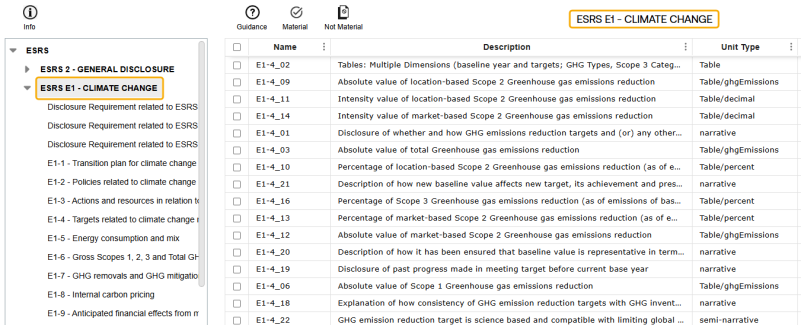
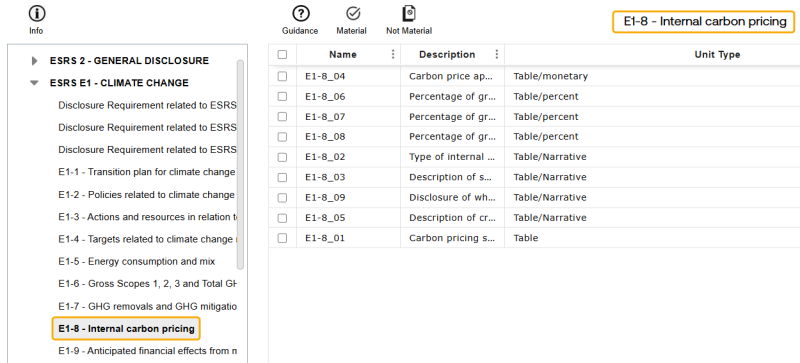
Use the External page to import and manage external Frameworks. The European Sustainability Reporting Standards (ESRS) Framework is available by default. The following Frameworks can be optionally imported: Global Reporting Initiative (GRI), Sustainability Accounting Standards Board (SASB), and Australian Sustainability Reporting Standards (ASRS).
Complete these steps to add an external Framework:
-
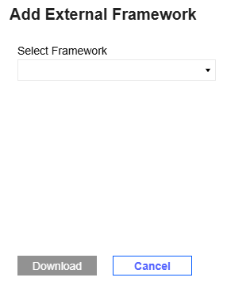
Select the New button to display the Add External Framework slide-out panel.
-
From the Select Framework drop-down menu, select an external Framework. Once a Framework is downloaded, it no longer displays for selection.
The slide-out panel displays a description of the Framework selected.

-
Select the Download button.

Framework
Use the Frameworks filter drop-down menu to select from imported Frameworks. Framework KPIs will not display in the grid unless you have selected a Framework from this filter.
Materiality
The default Materiality is Both. To display only Material KPIs, select True from the drop-down menu. To display only Not Material KPIs, select False from the drop-down menu
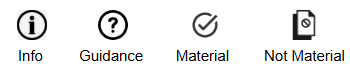
Use the toolbar options to manage external Frameworks.
-
To display guidance for parent level Framework KPIs in the tree view, select the Info button.
-
To show guidance for individual KPIs, select the row and select the Guidance button. Not every KPI has additional information. The Guidance column in the Frameworks grid displays a checkmark if guidance is available.
-
To mark a KPI as material, select the Material button.
-
To mark a KPI as not material, select the Not Material button.
The External page includes a pane with a tree view of the Framework structure. You can use the tree view to filter KPIs in the Frameworks grid. For example, to display only KPIs within ESRS E1-Climate Change, select ESFS E1-Climate Change from the tree view. To drill down further, select E1-8 Internal carbon pricing to view those KPIs in the grid.